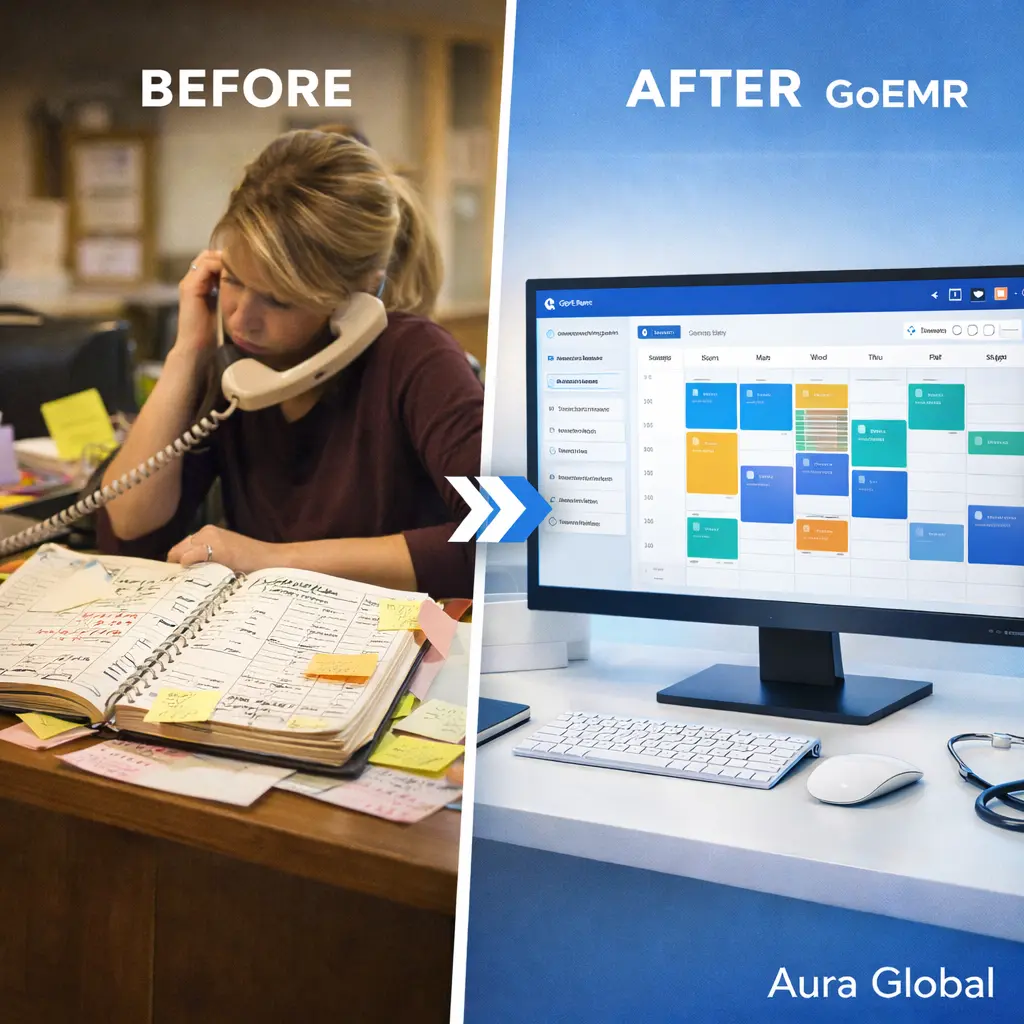
It's 8:47 AM. The phone is already ringing. A patient shows up insisting they have a 9 o'clock appointment — but the book says Dr. Patel is already booked with someone else at that time. The front desk flips through pages of crossed-out entries and penciled-in changes, trying to figure out who's right. Meanwhile, two more patients check in, one walks out because the wait is too long, and the 10 AM slot? That patient never showed. Again.
This isn't a bad day. For clinics still running on paper appointment books and manual phone scheduling, this is every day. The scheduling system that was "good enough" five years ago is now the single biggest source of daily friction for your front desk, your providers, and your patients.
AuraEMR's Appointment Scheduling module was designed to end this chaos — not with more complexity, but with clarity.
The Scheduling Chaos Problem
Scheduling sounds simple in theory. A patient needs a time. A provider has availability. Match the two. Done. But anyone who's actually managed a clinic schedule knows it's never that clean.
In practice, scheduling is where a dozen competing pressures collide:
- Multiple providers, one book — When three physicians share one paper schedule, overlaps are inevitable. Someone writes in pen. Someone else erases and reschedules in pencil. A third person doesn't see the change. Double-bookings happen before lunch.
- Phone-based scheduling is slow — Every appointment booked by phone takes 3 to 5 minutes of staff time. Multiply that by 40 to 60 calls a day, and your front desk is spending hours just managing the calendar.
- Changes cascade unpredictably — One cancellation can trigger a chain reaction: the waitlisted patient needs to be called, the provider's gap needs to be filled, and the room allocation might need adjusting. With paper, tracking these cascades is manual and error-prone.
- No visibility across locations — For multi-site practices, a patient might call one location to book at another. Without a shared system, the front desk has no way to see real-time availability across sites.
A scheduling system that creates more problems than it solves isn't a system — it's a liability.
What No-Shows Really Cost
No-shows are the silent revenue killer in every practice. A patient doesn't show up, and what happens? The provider sits idle. The room sits empty. The staff who prepped for that visit wasted their time. And the patient who could have filled that slot? They're still waiting for an appointment three weeks out.
The financial impact is staggering:
- The average no-show rate across outpatient clinics is 18% to 23%. In some specialties, it's even higher.
- Each missed appointment costs a practice between $150 and $200 in lost revenue, depending on the visit type and payer mix.
- A 20-provider practice losing just 5 appointments per day to no-shows is bleeding over $150,000 per year — conservatively.
- Downstream costs are even worse. Patients who miss appointments often present later with more advanced conditions, leading to costlier interventions and worse outcomes.
Most practices treat no-shows as an unavoidable part of healthcare. They're not. The majority of no-shows aren't patients who don't care — they're patients who forgot, got confused about the time, couldn't find transportation, or simply lost the appointment card they were handed at checkout.
The fix isn't a stern "missed appointment" policy. It's a system that makes forgetting nearly impossible.
A Calendar That Works With You, Not Against You
AuraEMR's scheduling interface was designed around how front desks actually work — not how software engineers think they should work. The result is a calendar that feels intuitive from day one.
Here's what your team gets:
- Drag-and-drop scheduling — Click a time slot, drag to reschedule, drop to confirm. Moving an appointment from 2 PM to 3:30 PM takes one gesture, not five clicks and a confirmation dialog.
- Day, week, and month views — Zoom out to see the big picture or drill into a single day's minute-by-minute flow. The view adapts to what you need right now.
- Color-coded blocks — Appointments are color-coded by provider, department, or visit type. Your front desk can glance at the screen and instantly know who's seeing what, where, and when.
- Recurring appointment series — For patients on regular schedules — weekly physical therapy, monthly chronic care check-ins, quarterly specialist visits — set the recurrence once and the system books the entire series. No re-entering the same appointment twelve times.
- Waitlist management — When a slot opens up from a cancellation, AuraEMR automatically checks the waitlist and suggests the best-fit patient to fill the gap. No manual scanning of sticky notes.
The calendar isn't just a grid of time slots. It's a real-time operational dashboard for your entire practice.
If your scheduling tool requires a training manual, it's already failed the front desk.
Automated Reminders That Actually Reduce No-Shows
Reminder calls used to be someone's entire afternoon. A staff member would sit at the desk with tomorrow's schedule and call every patient, one by one. Leave a voicemail. Try again. Mark the ones who didn't pick up. Hope for the best.
AuraEMR replaces that entire workflow with automated, multi-channel reminders:
- SMS reminders — Sent at configurable intervals: 48 hours before, 24 hours before, and 2 hours before the appointment. Patients can confirm or cancel with a single text reply.
- Email reminders — For patients who prefer email, the same cadence applies. The email includes appointment details, provider name, location with a map link, and a one-click confirm button.
- Escalation logic — If a patient hasn't confirmed by a set threshold (e.g., 12 hours before), the system flags the appointment for staff follow-up. No more guessing which patients might not show.
- Two-way confirmation — When a patient confirms via text or email, their appointment status updates in real time on the calendar. The front desk sees a green checkmark without making a single call.
The impact is measurable. Practices using automated reminders consistently report a 30% to 40% reduction in no-shows. That's not a marketing claim — it's what happens when you remove the most common reason patients miss appointments: they simply forgot.
For a mid-size practice, that reduction translates directly into recovered revenue, better provider utilization, and shorter wait times for patients trying to get in.
Multi-Provider, Multi-Location Clarity
The complexity of scheduling scales with the size of your practice. One provider in one location is manageable. Five providers across two locations with shared resources and overlapping schedules? That's where most systems collapse.
AuraEMR handles this with multi-provider views that give your team complete visibility:
- Side-by-side provider calendars — View all providers' schedules simultaneously. When a patient asks for the earliest available appointment with any cardiologist, the answer is on your screen in seconds.
- Room and resource allocation — Procedure rooms, equipment, and support staff can be tied to appointment types. The system won't let you book two procedures in the same room at the same time.
- Cross-location scheduling — A patient calling your downtown office can book with a provider at your suburban location without anyone picking up a second phone. One calendar, all locations.
- Provider-specific rules — Each provider can set their own availability templates: Dr. Chen sees patients Monday through Thursday, Dr. Rivera does procedures on Wednesday mornings, Dr. Okafor reserves Friday afternoons for telehealth. The system enforces these rules automatically.
- Department-level views — Managers can see scheduling patterns across departments — identifying bottlenecks, underutilized slots, and peak demand periods without running a separate report.
When every provider, room, and resource is visible on a single screen, double-bookings become nearly impossible. Your front desk stops being air traffic controllers working from memory and starts working from a system that actually helps them.
Built for the Front Desk
Most scheduling software is designed by people who've never sat at a front desk during a Monday morning rush. You can tell because the workflows are logical in theory and unusable in practice. Too many clicks. Too many screens. Confirmation dialogs for everything.
AuraEMR's Appointment Scheduling was built with front desk staff in mind:
- Speed — Booking a new appointment takes under 10 seconds. Search the patient, pick a slot, confirm. Done.
- Keyboard shortcuts — Power users can navigate the calendar, create appointments, and search patients without touching the mouse.
- At-a-glance status — Every appointment shows its current status: scheduled, confirmed, checked in, in progress, completed, or no-show. One look tells you exactly where your day stands.
- Integrated check-in — When a patient arrives, one click updates their status from "confirmed" to "checked in." The provider sees it on their end instantly. No walking down the hall to let them know.
- Same-day squeeze-ins — Urgent add-ons are a reality in every practice. AuraEMR makes it easy to find gaps, squeeze in a patient, and adjust the flow without blowing up the rest of the schedule.
Your front desk is the first impression your practice makes. When they're calm, organized, and in control, patients notice. When they're flustered, buried in paper, and apologizing for wait times, patients notice that too.
The goal isn't just a better calendar. It's a front desk that actually smiles again.
Scheduling that keeps your practice moving
AuraEMR's Appointment Scheduling module gives you drag-and-drop calendars, automated reminders, multi-provider views, and real-time status tracking — everything your front desk needs to eliminate chaos and keep patients flowing.